Generally Inductions are assigned automatically via the tablet, if you have chosen to manually assign inductions (Status Tags), you can do so by following the steps outlined below.
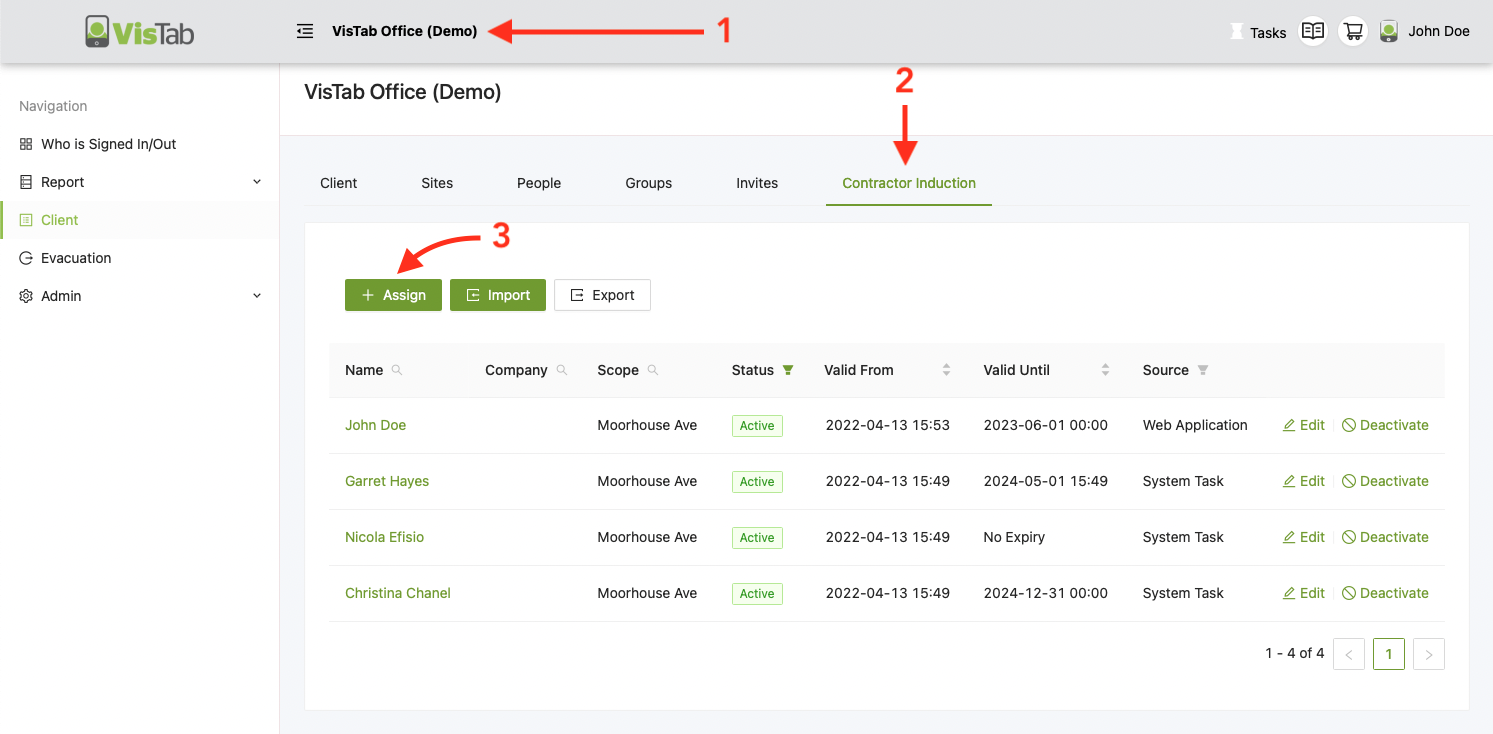
- Select your Organisation's name at the top
- Select the Induction tab, it might be named slightly different for your organisation
- Select + Assign
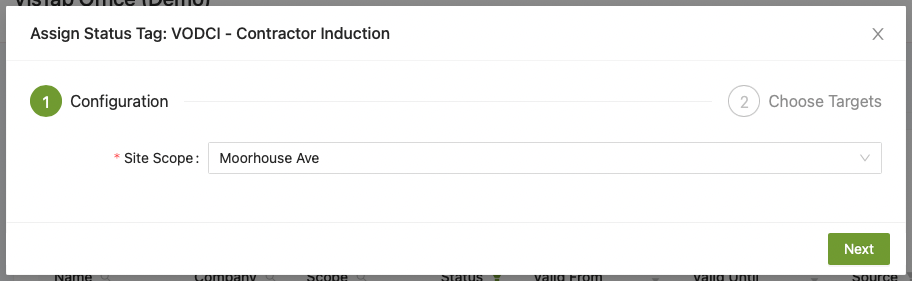
Site Scope: If you have more than one site and you have site specific inductions, this will specify which sites the person will get access to.
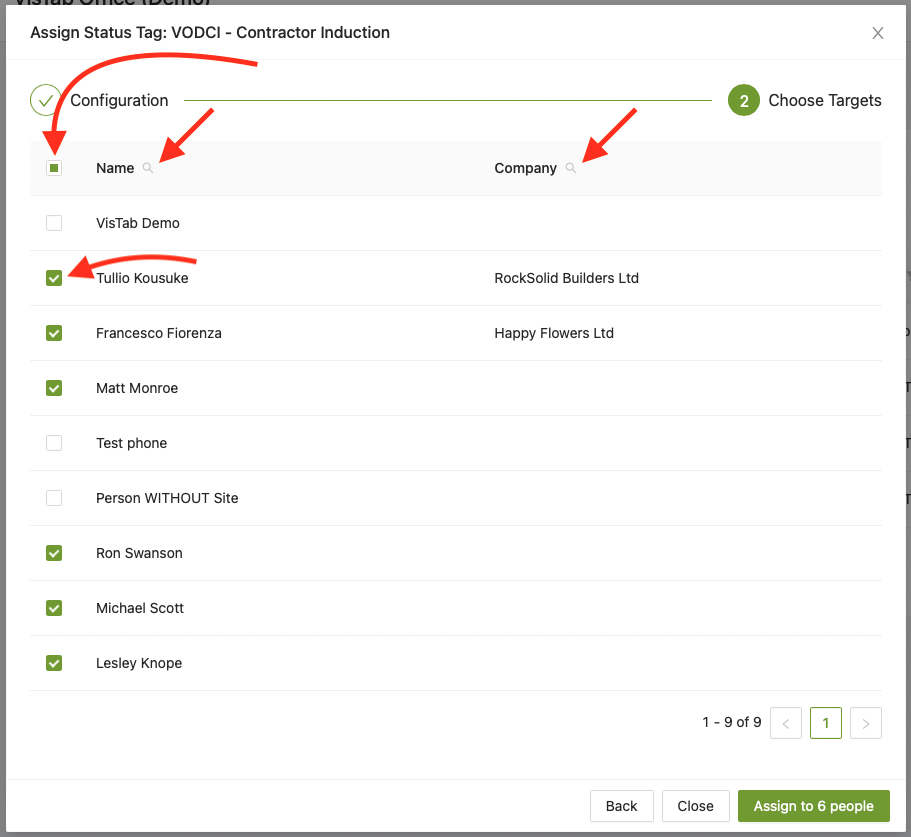
Use the tick box in the header to select everyone in the list or use the tick box next to each person to select who you want to assign a status tag to.
Use the magnifier next to Name and Company to narrow down your search.
If you have a lot of people spanning across multiple pages and you would like to select them all, you will have to use the tick box in the header on each page until you get to the last page.
When you're done, select Assign.
Expiry Date
People will get assigned the default expiry date which is generally 1 year unless specified differently by you during the initial setup. You can find more information here.