Before you can upload inductions you will have to make sure those people exist in your people tab.
This is a requirement for the system to be able to assign inductions to people.
See here for more information on how to add people.
Download and Prepare Template
Download Template
Please download our template before proceeding.
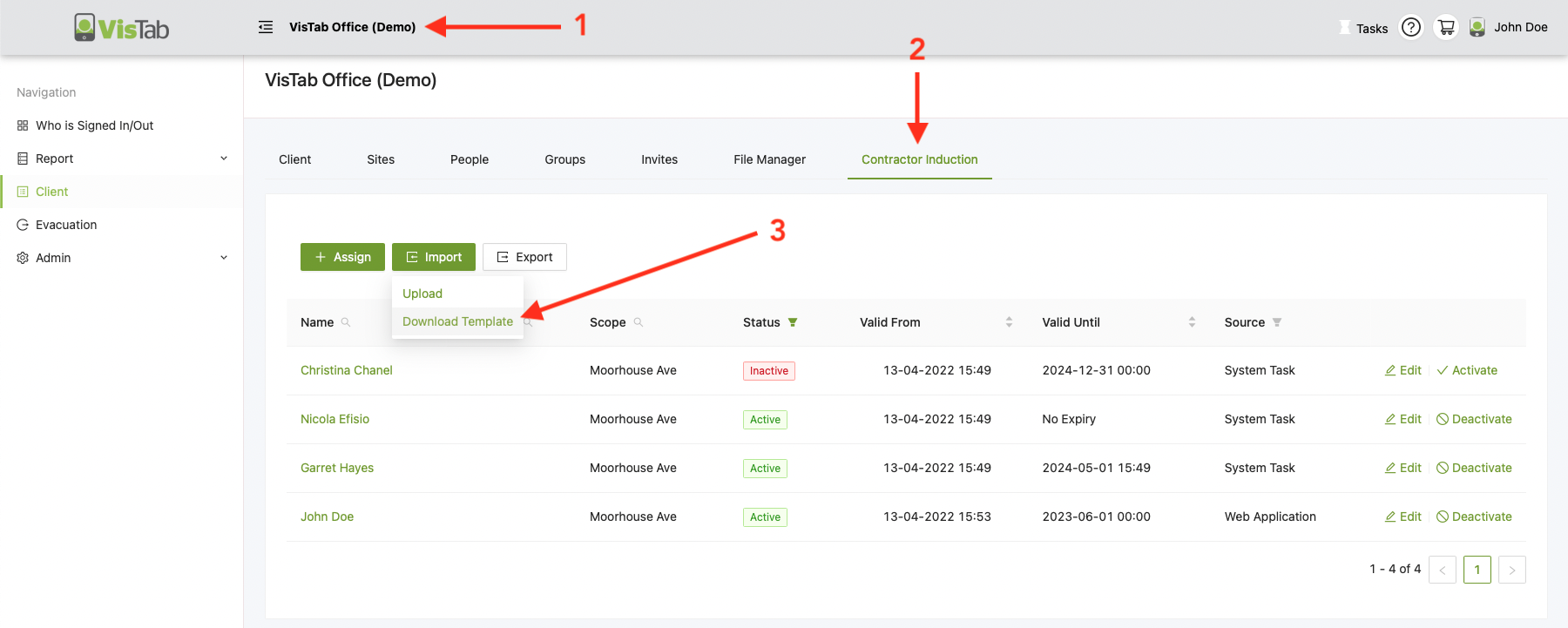
- Select your Organisation's name at the top
- Select the Induction tab, it might be named slightly different for your organisation
- Hover over Import
- Select Download Template
Prepare Template
Please follow the format in the template to upload your inductions successfully.
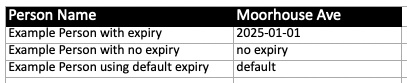
There are 3 examples of how you can assign expiry dates:
- Enter a specific date
- make sure to follow the date format in the example
- no expiry
- default
- this will assign the default date that has been set during upload
If you have more than one site, you will have more than one column with the name of each site.
If you leave the cell empty, it won't be assigned to the person.
Once ready, save the file as .xls or .xlsx
Upload Template
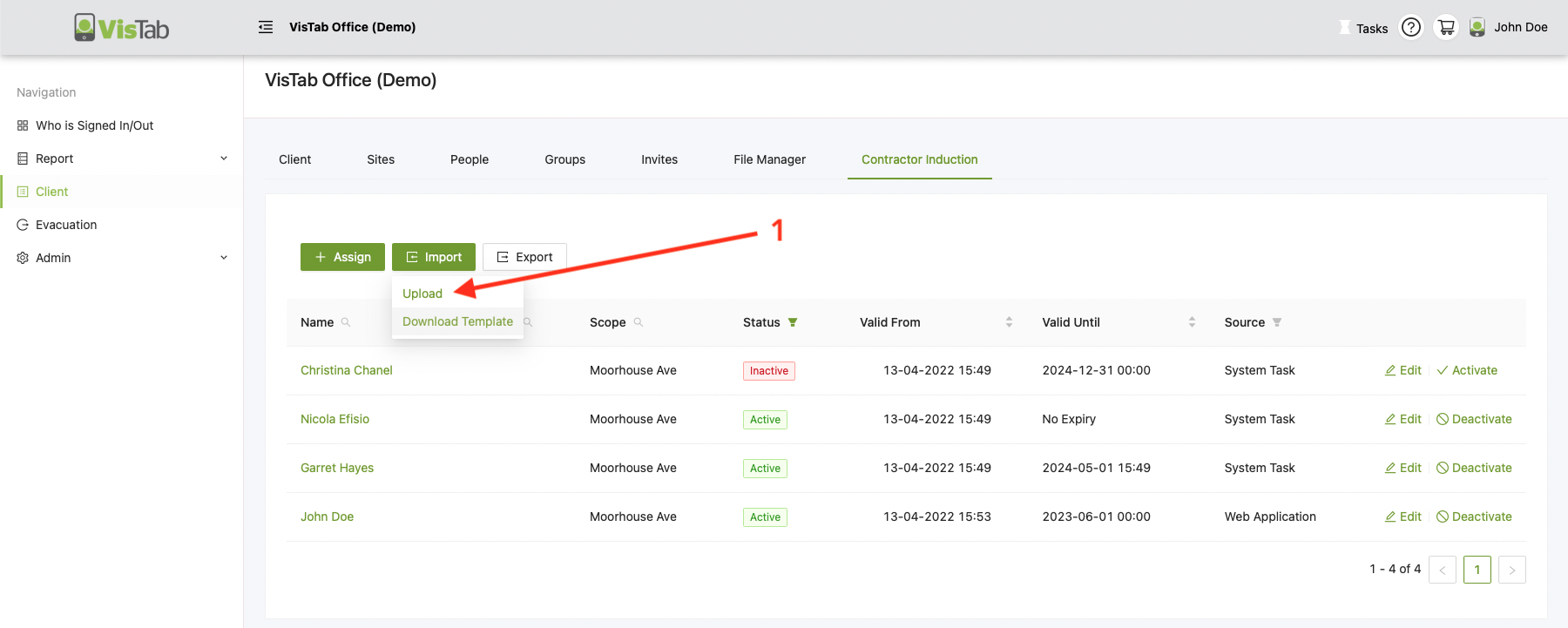
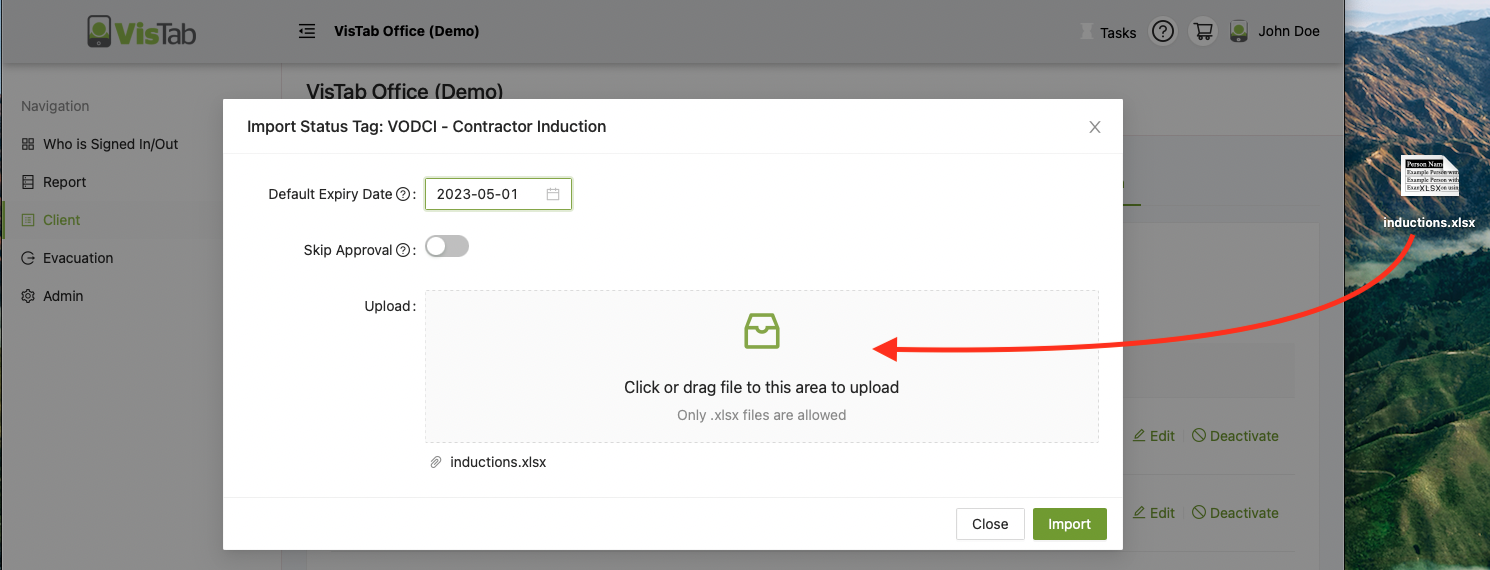
Now that the template is ready, hover over the Import button and select Upload.
Drag & Drop your file into the highlighted area or click on it to select the file.
Default Expiry Date = Applies to any cells that have the default placeholder in the template
Skip Approval = If there have been no issues found with the file, it will skip an extra screen confirming the changes.
Select Import
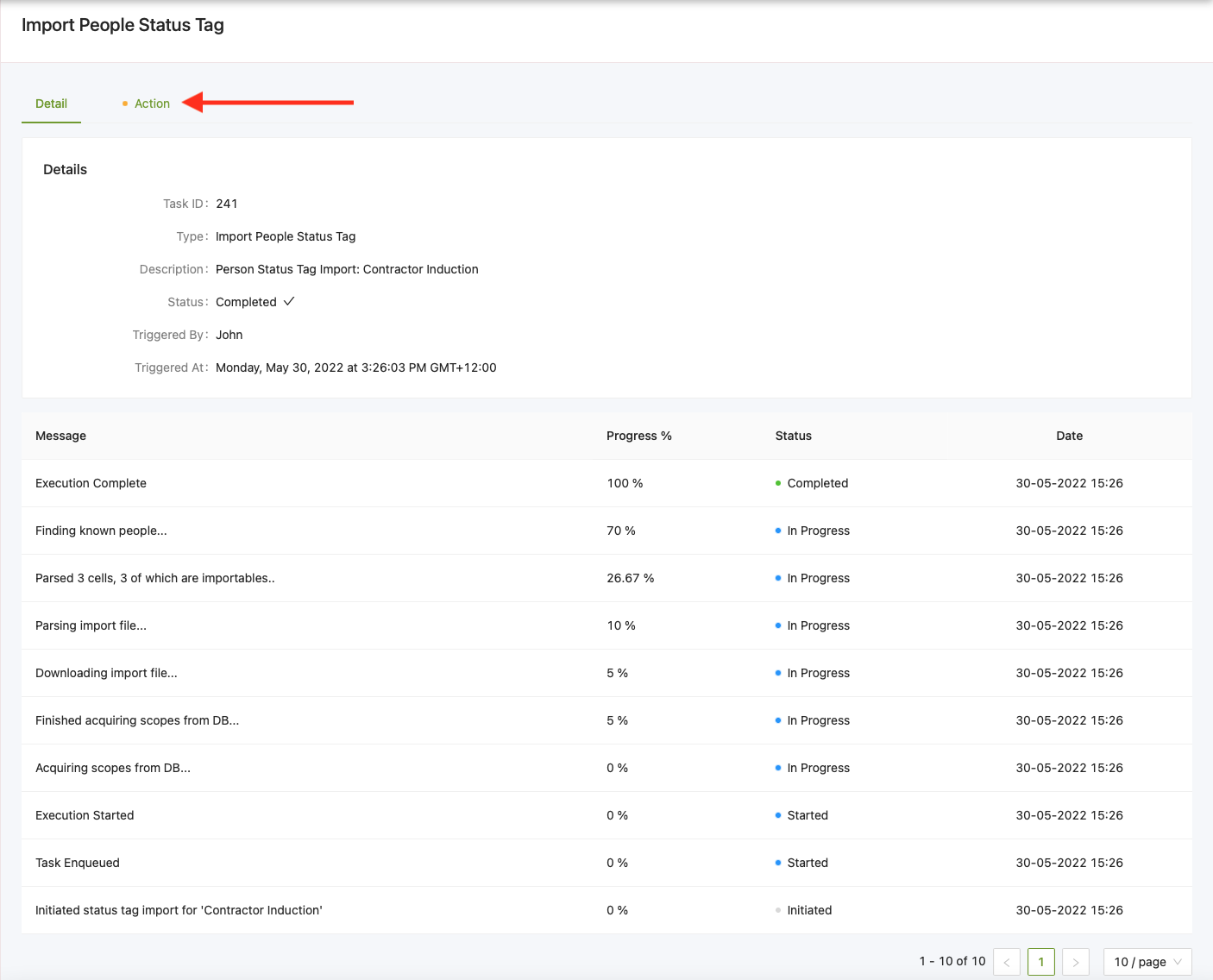
You will now see a page showing the progress of the import.
Once that is done, select the Action tab at the top.
If everything went fine, select Import Now
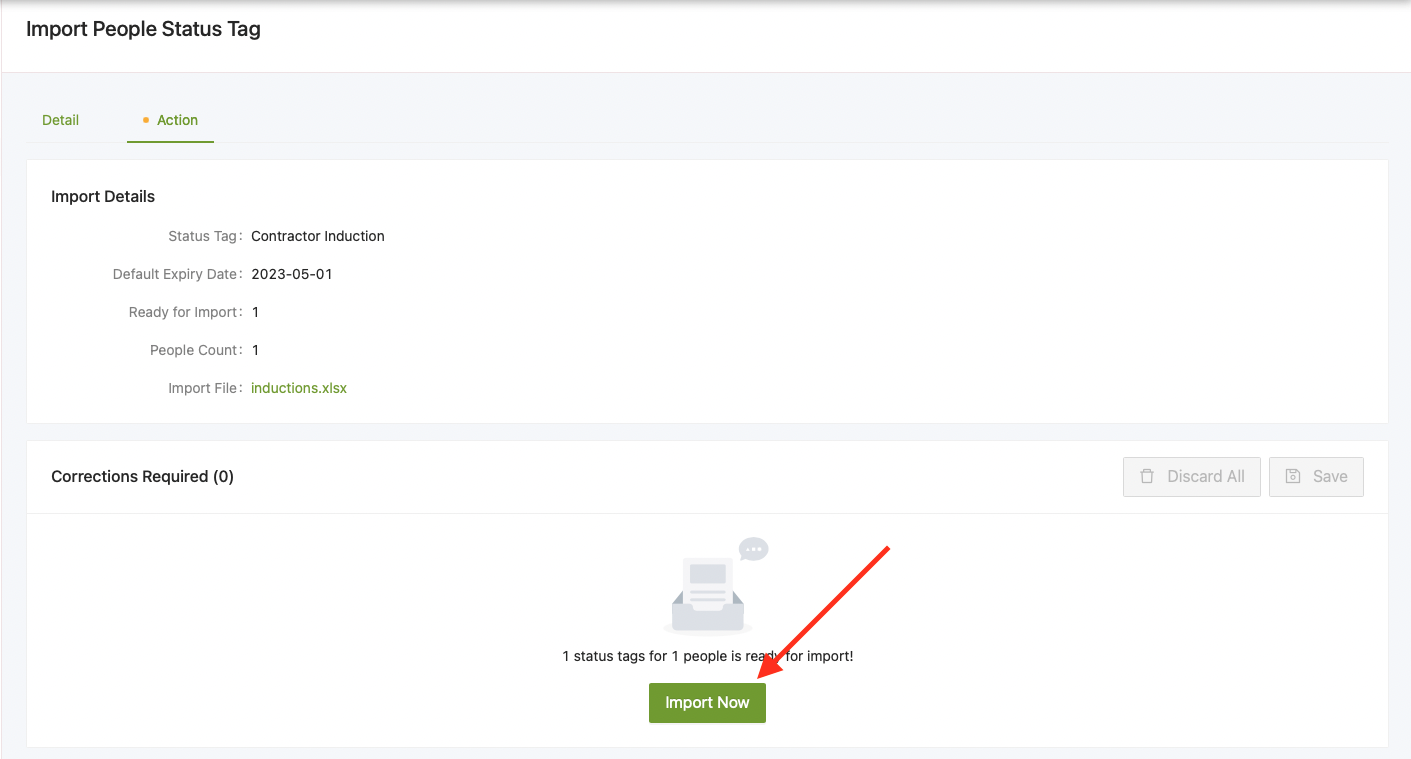
You are now done, you can return to the Inductions tab by selecting your Organisation's name at the top and then the Inductions tab.
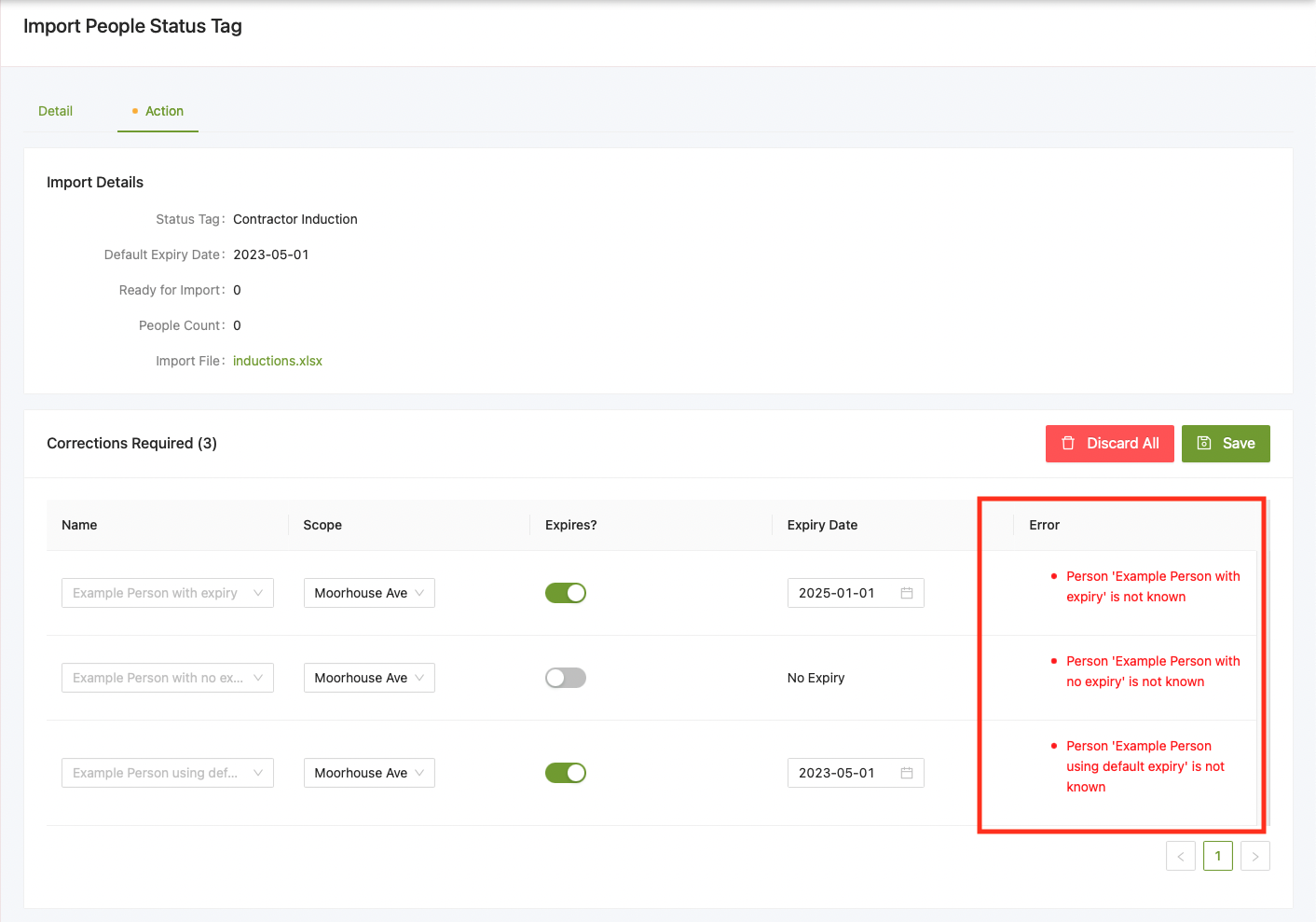
Validation Error / Corrections Required
If you have received a validation error, follow the instructions in the error column.
Make sure the person you are trying to assign a Status Tag (Induction) already exists in your system, if the dropdown is empty, it means that there is no matching person.
Alternatively you can discard all errors to proceed.