You can edit and export inductions to change expiry dates, deactivate inductions and see who got inducted when and how.
Find out how to manually assign inductions (Status Tags) here.
- Select your Organisation's name at the top
- Select the Induction tab, it might be named slightly different for your organisation
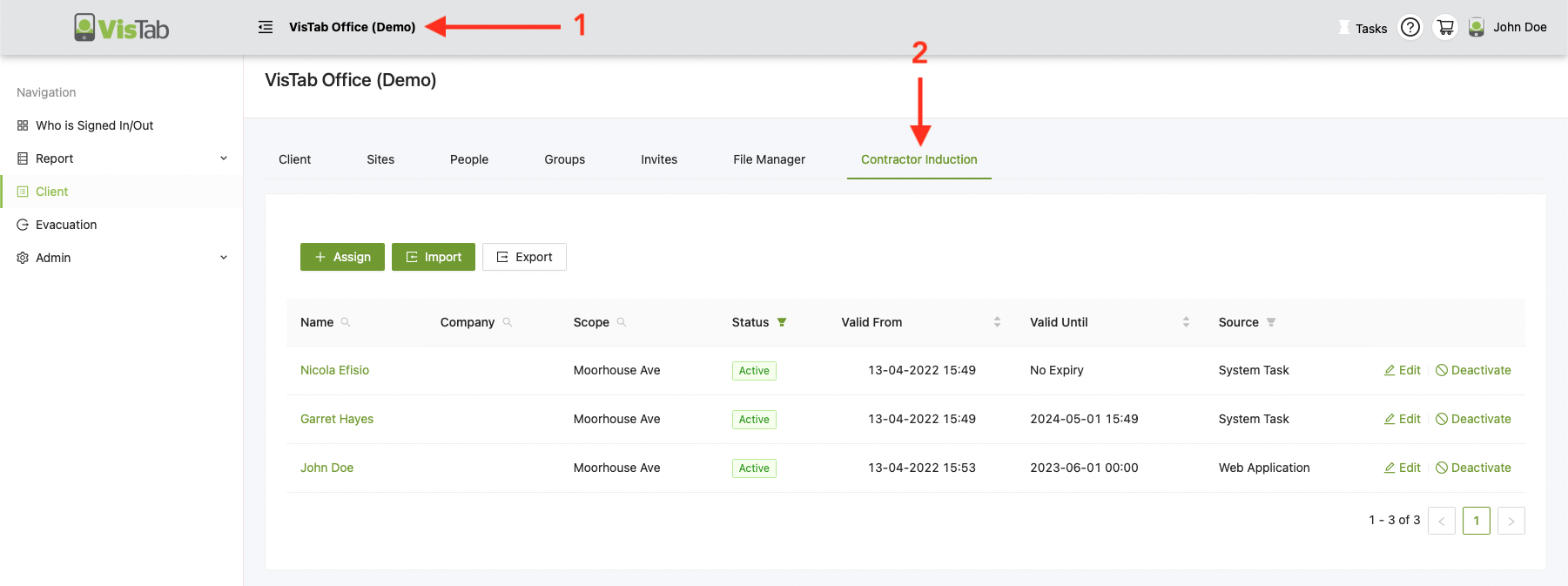
Overview
Use the magnifier to search for specific columns:
- Name
- Company
- Scope = Site

Filter
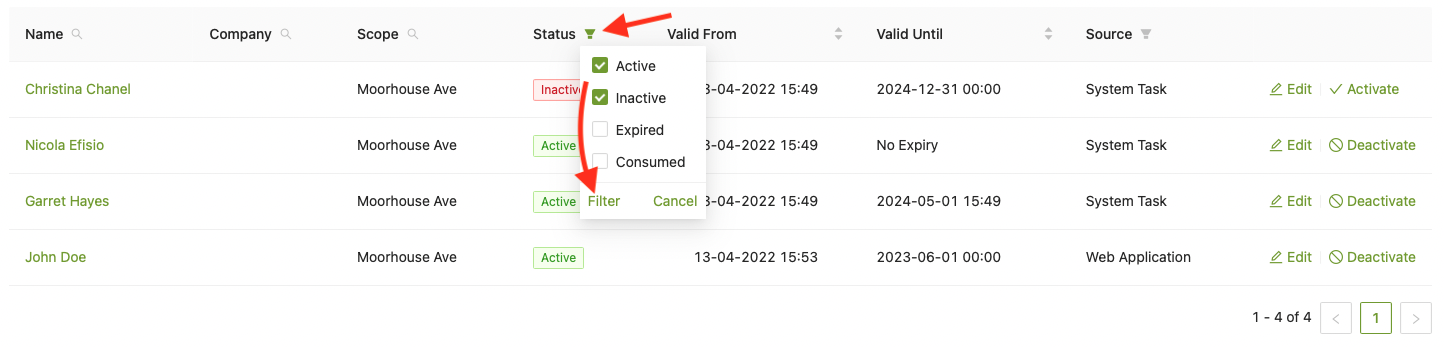
Status
- Select the funnel to see all the options.
- Select which filter you would like to apply
- Select Filter
- Active = Active and not expired inductions
- Inactive = Inductions that have been deactivated
- Expired = Induction has expired and needs to be renewed
- You can manually assign another status tag (induction) or edit the person to change the expiry date.
- Consumed = Relevant for off site inductions
Source
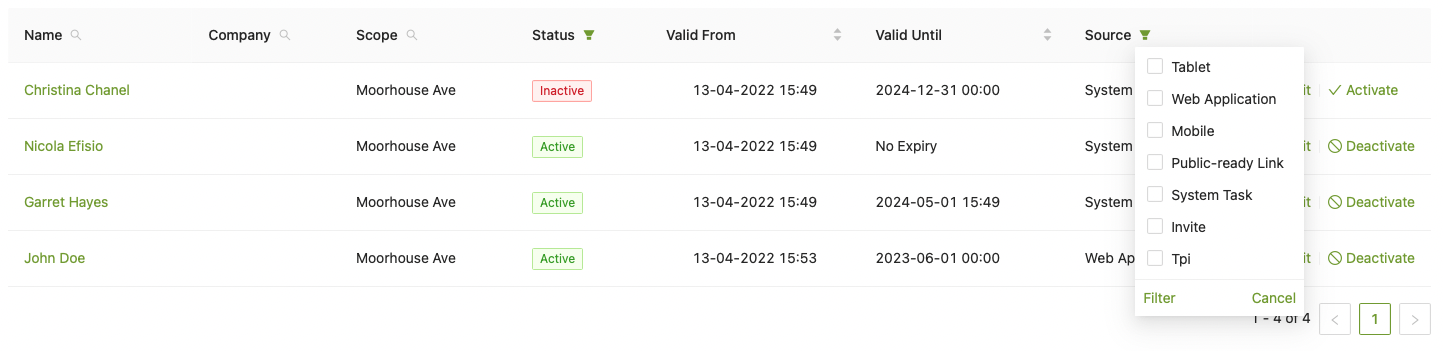
Use this filter to narrow down your search to see how people got inducted.
- Tablet = Person got inducted through the tablet
- Web Application = Person has been manually assigned the induction via the Web Portal
- System Task = Person has been uploaded through the Web Portal
- Invite = Only relevant for off site inductions
- Tpi = Third Party Integration e.g. Vault
Edit & Deactivate
- To adjust or turn on/off the expiry date, select Edit
- You can deactivate inductions to force someone to renew their induction by selecting Deactivate
