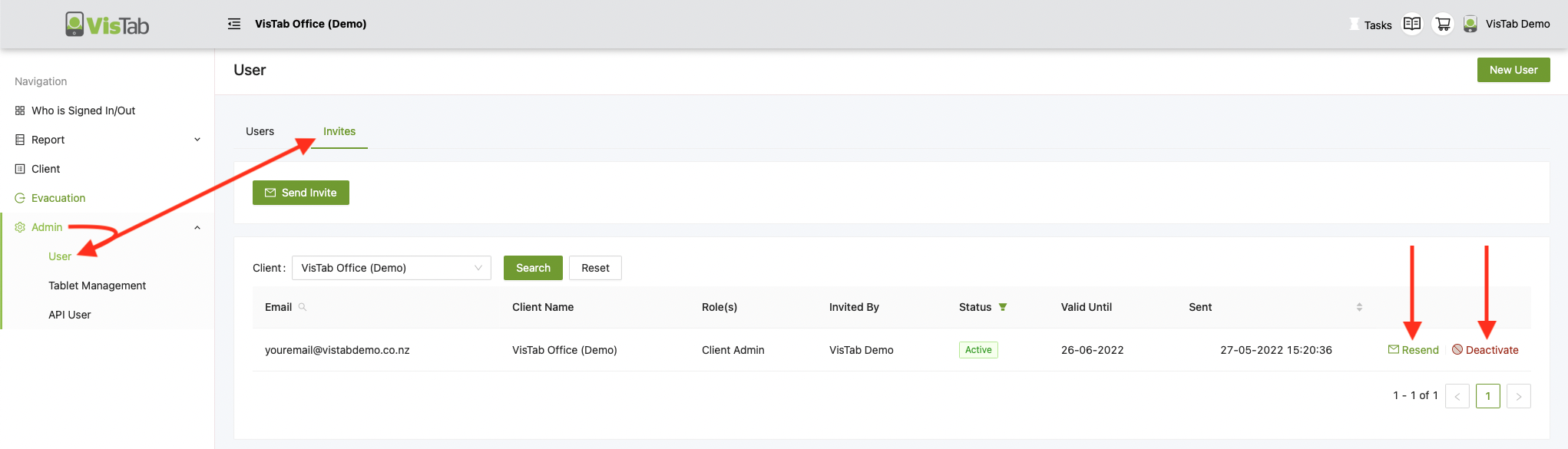
Check Invites
- Select Admin > User
- Select Invites
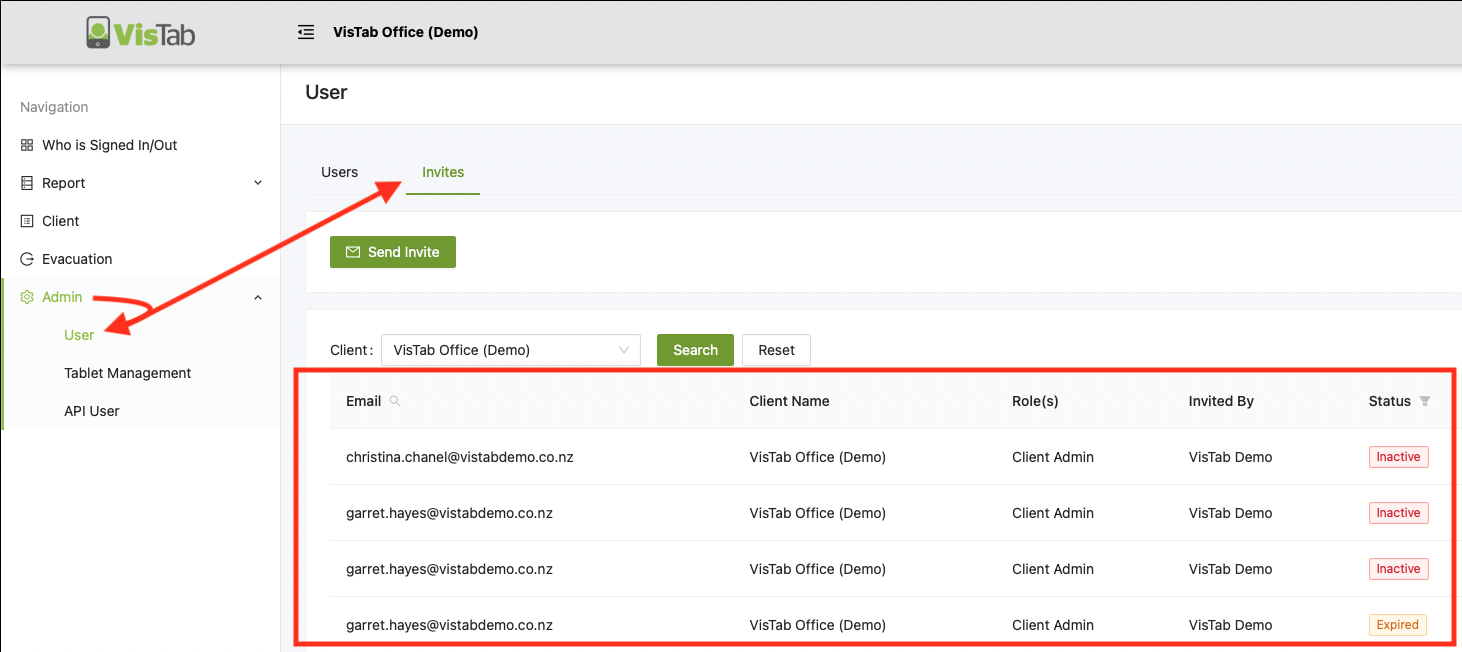
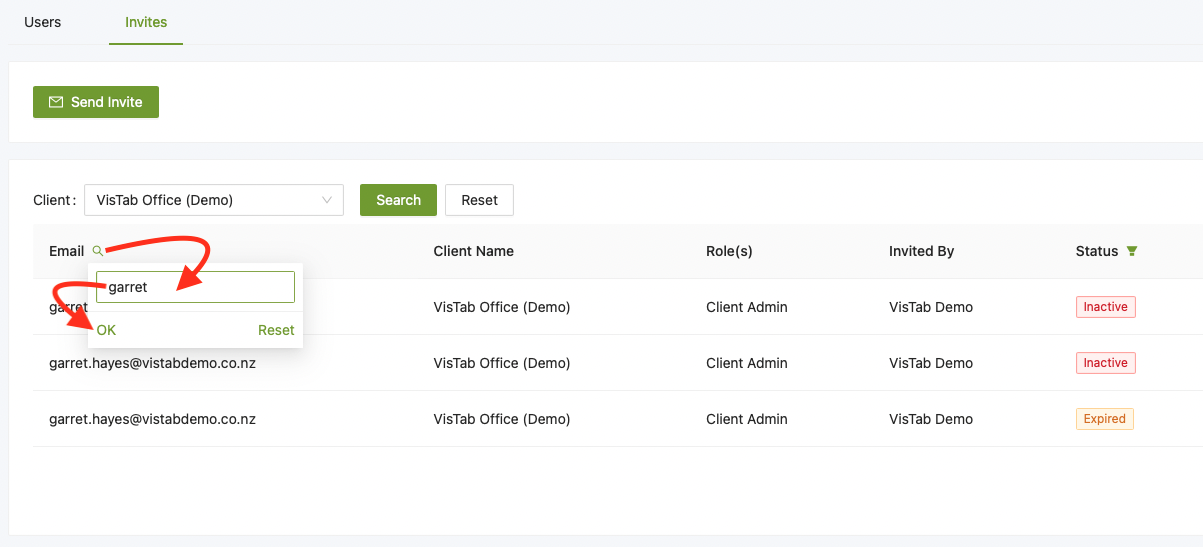
- Use the little magnifier to look up specific invites
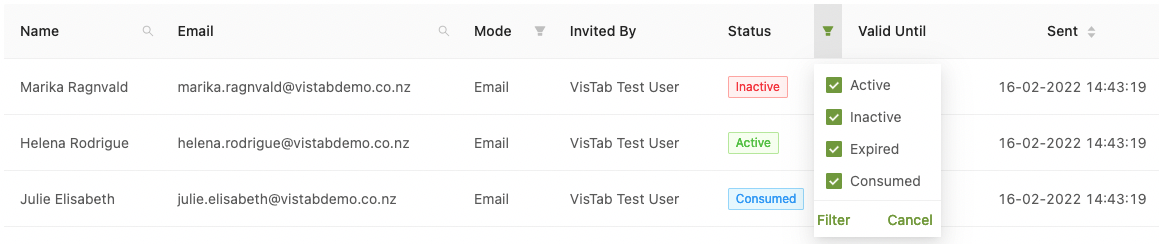
- Use the Funnel to narrow down your search to Active, Inactive, Expired or Consumed invites
Status |
Explanation |
| Active | User has been sent an invite, the user has not yet accepted it. Select Resend to resend an invitation. |
| Inactive | This invitation has been deactivated and the user can receive a new invite. |
| Expired | This invitation has expired and the user needs to be sent a new invite. |
| Consumed | User has accepted the Invite and has created an account. This User cannot receive more invites and will need to reset their password if they have lost access through app.vistab.co.nz |
Resend or Deactivate Invite
- Select Admin > User
- Select Invites
- Select Resend or Deactivate
Note: You can only resend and deactivate ACTIVE invitations, once they are consumed, use the Users tab to find and manage the user.