This allows Users with the "Client Admin" Role to send out invites via "Email" to a non-existing person to create a new "Person Record" themselves away from the "Tablet" and from the "People" tab on the web portal, prior to Signing In on-site.
Follow this guide to check your Role > Roles & Site Limits
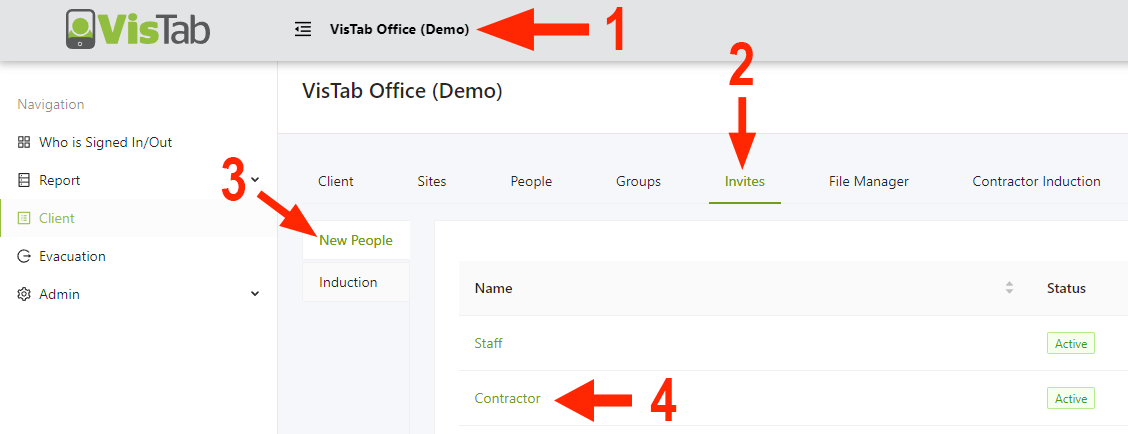
- Select your Organisations Name at the top of the screen
- Select Invite
- Select New People
- Select one of the options
- Select the "Green" Email Invite button
- Select the "Add" button to create an Email field
- Type in the "Email" of the person you desire to send the invite to
- Select "Invite People"
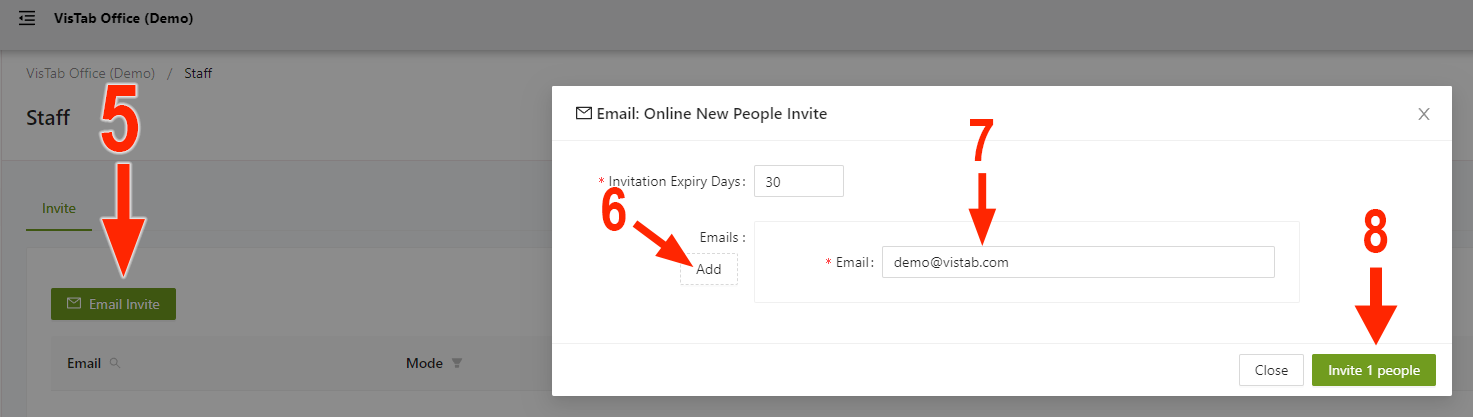
You can also adjust the Email Invitation Expiry when sending out invites.
Get in touch with us, if you're interested in this feature.